SpinetiX ARYA Enterprise
Account Activation
Dear Distribution Partner,
If you are landing on this page to activate a SpinetiX ARYA Enterprise account for your customer, please note that the previous activation form has been deprecated. The new workflow now starts directly in SpinetiX HUB and is initiated by your dealer for their end customer.
Please ask your dealer to follow the simple steps below. Forward this Help Center article with them for detailed instructions:
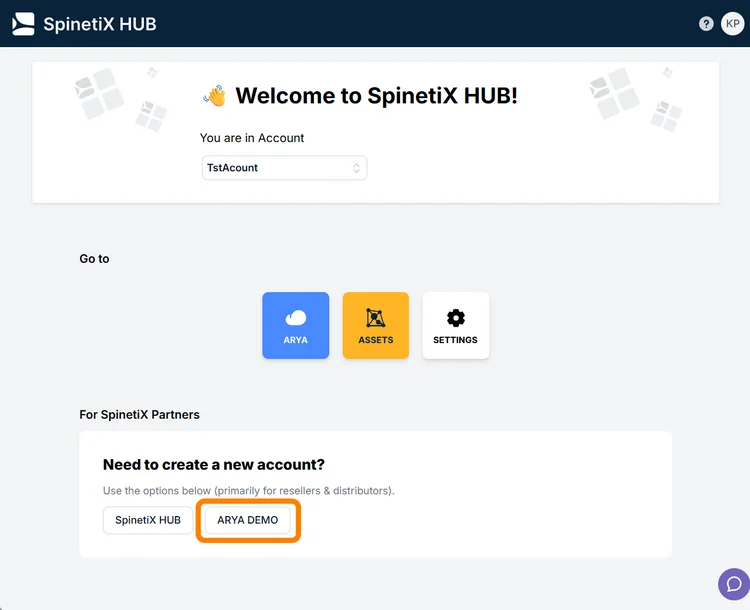
1. Connect to their HUB account
2. Make sure an ARYA Demo account is in place for their end
customer. If needed, create one from the HUB homepage.
3. In the Demo account, complete the ARYA upgrade request
from the Subscriptions tab under ASSETS to request
activation of ARYA Enterprise
4. Provide you with the resulting PDF request document that
you then share with the SpinetiX Store team for fulfillment
In case you need further assistance, please contact the SpinetiX Store team.